
Download UP Smart APK – UPWATCH UP Smart, free Android app, smartwatch companion, lifestyle app, wearable tech, fitness tracker app, sync data, wearable companion app, UP! S. Slim Series
Overview
UP Smart is a free Android application developed by UPWATCH, designed as a dedicated companion for their line of wearable devices. The primary purpose of the app is to facilitate seamless data synchronization between the user’s smartphone and their UPWATCH smartwatch. It enables users to monitor key health and lifestyle metrics such as daily steps, calories burned, distance traveled, sleep quality, and exercise history. By consolidating this information into a single, accessible platform, UP Smart helps individuals track their wellness progress over time and make informed decisions about their daily routines.
The app is tailored for consumers interested in wearable technology and personal fitness tracking. It supports the UP! S.
Slim Series watches, ensuring optimal compatibility and functionality with this specific hardware. Real-world usage scenarios include daily step logging, sleep pattern analysis, and receiving real-time notifications for calls and messages directly on the watch. The app also allows users to customize watch behaviors, such as setting sedentary reminders, alarms, backlight timing, and syncing weather data, enhancing both utility and personalization.
The developer did not provide additional details about the company’s background beyond the app’s name. Platform compatibility is confirmed for Android, though specific version requirements were not listed. The release date of July 15, 2024, indicates a recent update, suggesting ongoing development and support for the existing device lineup.
Key Features & Capabilities
- Data Synchronization: Automatically syncs activity data including steps, calories, distance, and sleep patterns from the UP! S. Slim Series watch to the smartphone.
- Notification Forwarding: Enables real-time alerts for incoming phone calls and SMS messages, displayed directly on the watch for immediate access.
- Customizable Watch Settings: Allows users to adjust sedentary reminders, alarm schedules, backlight duration, and weather synchronization settings.
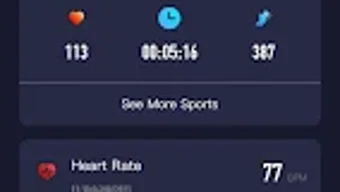
- Visual Data Presentation: Features a newly designed user interface that organizes health metrics in an intuitive, visually appealing layout for easier interpretation.
- Device Pairing & Authorization: Provides a straightforward process to bind and authorize the smartwatch with the smartphone, ensuring secure connection and data exchange.
These features are particularly useful for users who want to stay connected while maintaining an active lifestyle. For example, a user can set a sedentary reminder every 60 minutes to encourage movement during long work sessions. The weather sync function ensures the watch displays current conditions, which is helpful for outdoor activities. The notification system allows users to stay informed without constantly checking their phone, improving convenience and focus.
User Interface, Workflow & Performance
The user interface of UP Smart is described as newly designed, emphasizing clarity and visual appeal. Navigation appears to be structured around core health metrics, with dedicated sections for daily activity, sleep tracking, and exercise logs. The layout likely uses cards or timelines to present data, allowing users to quickly assess trends over time. Interaction is expected to be smooth, given the app’s lightweight nature and focus on essential functions.
Workflow efficiency is enhanced by the app’s streamlined setup process. Users can pair their device with minimal steps, and once connected, data updates automatically in the background. The app likely runs in the background to maintain a continuous connection with the watch, ensuring real-time data flow. However, exact performance details such as CPU or RAM usage were not specified.
The developer did not specify resource usage details. Performance observations are based on general software behavior patterns. Stability is expected to be consistent for users with compatible devices, especially those using the UP!
S. Slim Series. The app’s size of 26.7 MB suggests it is optimized for mobile devices with limited storage, making it suitable for a wide range of Android smartphones.
Compatibility & System Requirements
UP Smart is designed to run on Android devices, ensuring broad accessibility for users of the platform. The app is compatible with the UP! S. Slim Series smartwatches, which are the only currently supported hardware models. The version number is 3.3.2, released on July 15, 2024, indicating active maintenance and regular updates.
The installation size is 26.7 MB, which is relatively small and suitable for devices with moderate storage capacity. The developer did not specify minimum Android OS versions, hardware requirements, or other system specifications. Exact system requirements were not listed. Compatibility information was partially provided, with support limited to a specific watch model and Android platform.
Pros and Cons
Pros
- Free to download and use with no hidden costs
- Intuitive, visually updated interface for easy navigation
- Seamless synchronization with UP! S. Slim Series smartwatches
- Real-time notification forwarding for calls and messages
- Comprehensive customization options for watch settings
Cons
- Currently limited to UP! S. Slim Series watches only
- Android-only support; no iOS or other platform availability
- Exact system requirements and OS version details not provided
- Future device compatibility not confirmed
- App size and performance details not fully disclosed
FAQ Section
Is UP Smart compatible with iOS devices?
UP Smart is currently designed for Android devices only. There is no official support for iOS platforms at this time.
Can I use UP Smart without a UP! S. Slim Series watch?
While the app is available for download, it is specifically built to work with the UP! S. Slim Series smartwatches. Functionality may be limited or unavailable without the compatible hardware.
Is the app secure and safe to download?
UP Smart is a free Android app developed by UPWATCH. It is available through official channels and does not require root access. Users are advised to download the APK from trusted sources to ensure integrity.
How often does the app update?
The latest version, 3.3.2, was released on July 15, 2024. The developer has indicated plans for timely updates, particularly for future watch models, though specific update frequency is not disclosed.
Does UP Smart require an internet connection?
While the app functions offline for basic data viewing, an active internet connection is required for device pairing, data synchronization, and receiving notifications from the phone.
Final Thoughts + CTA
UP Smart delivers a focused and functional experience for users of the UP! S. Slim Series smartwatches.
Its clean interface, reliable data sync, and useful customization options make it a solid companion app for those invested in wearable fitness technology. While its compatibility is currently limited to a single watch series and Android devices, it performs well within its intended scope. The app’s free status and regular updates suggest ongoing commitment from UPWATCH to support its user base.
For individuals seeking a lightweight, feature-rich companion for their UPWATCH wearable, UP Smart is a reliable choice. If you own a UP! S. Slim Series watch and want to maximize its potential, this app is essential. Download UP Smart now to enhance your wearable experience.







